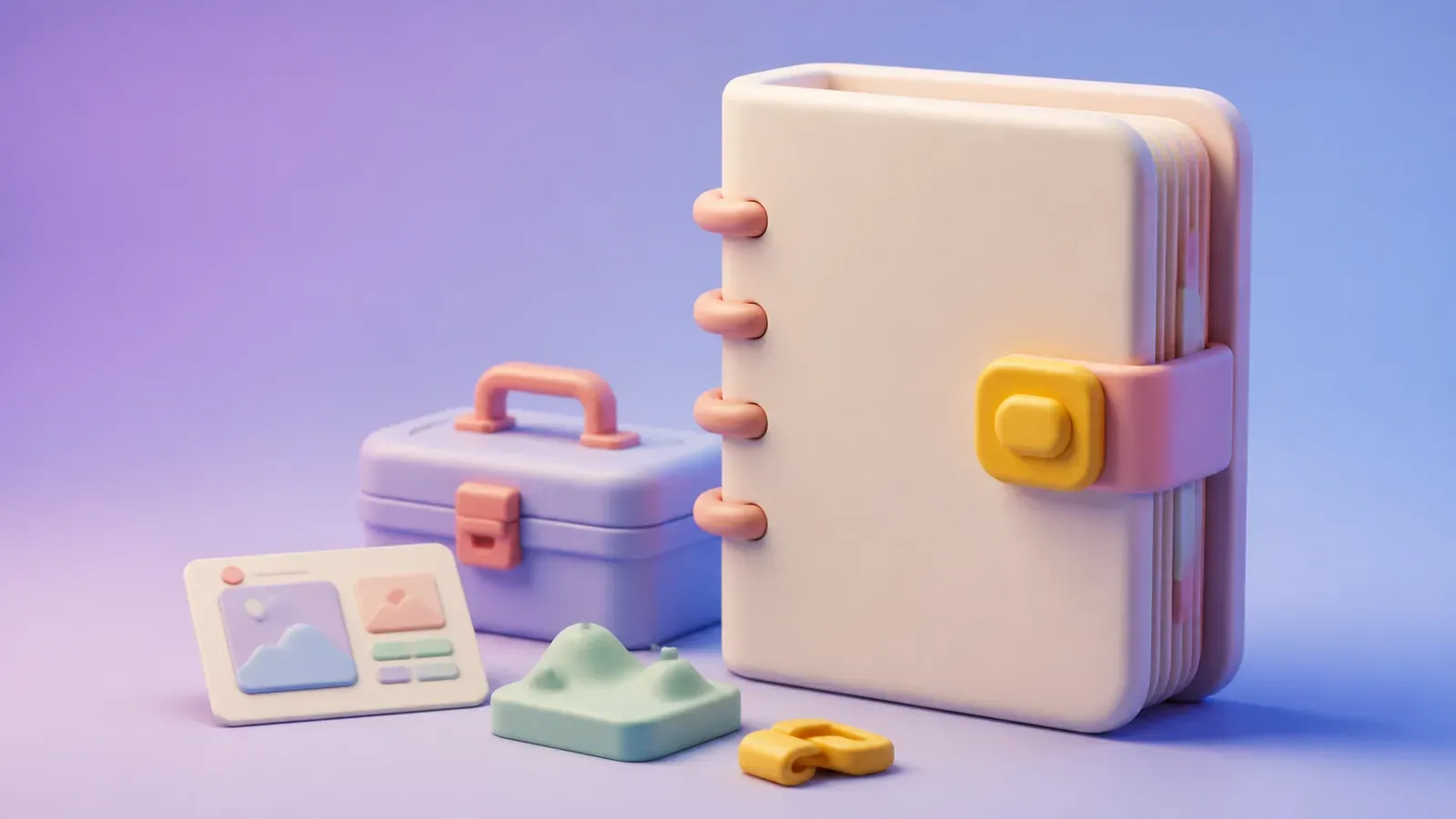
Claude skills creative production starts with the finished job: choose static-ads for image-ad concepts and rendered assets, ugc-ads for a creator-style video, explainer-videos for a narrated explanation, or video-restyle for transforming existing footage. Supply the product facts and source assets, review the plan, then let Claude coordinate the connected production tools.
The useful question isn't how many skills you can install. It's whether the chosen procedure returns the file you actually need. A script is not a video, and a folder of generated clips is not an assembled ad.
A separate product-source example you can inspect
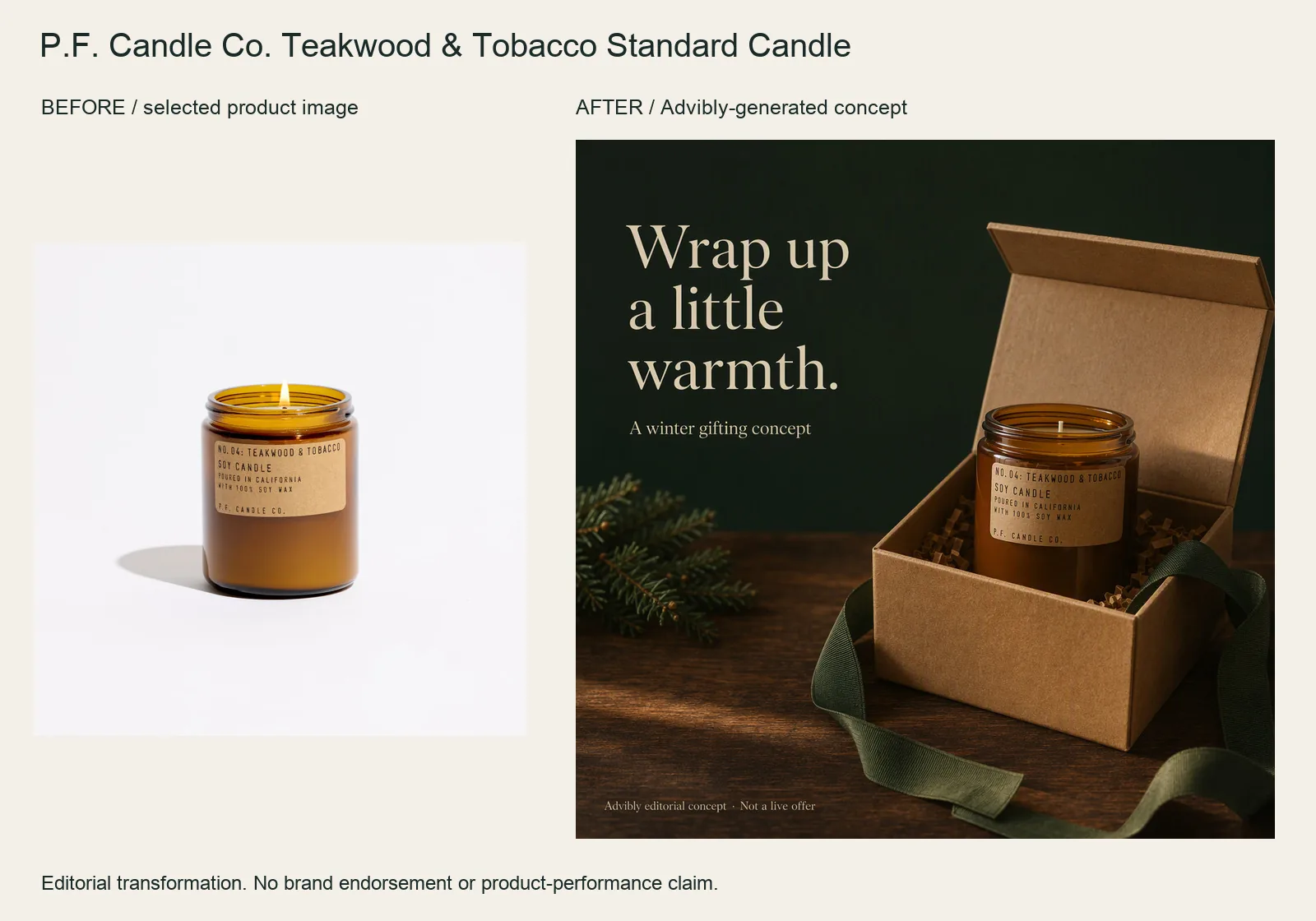
The selected amber candle jar becomes a winter-gifting composition with an open kraft box, green ribbon and an unlit wick. The change is the campaign occasion rather than a new candle.
Protect the jar and label in the reference-led brief. Ask for gifting props without presenting them as supplied packaging. This is a styling concept, not a current gift bundle, discount, burn-time claim or sleep benefit.
P.F. Candle Co. Teakwood & Tobacco Standard Candle product source · Open the finished editorial image
This new example was generated through Advibly’s native image tool from the linked product reference. It is an output example, not proof of a Claude or Codex skill session, a full campaign handoff or social publication. The older creative family below remains a separate demonstration.
Choose the method by the output you want
This existing Advibly image gives the choice a visible reference. A static-image workflow can produce a campaign key visual. A video workflow can turn that visual direction into motion. A new setting is a second concept, not proof that a different skill is required for every variation.

Existing 1152 × 2048 Advibly campaign image. The unbranded can, orange circle, peach slices and paper arcs are generated concept art, not a photographed product.
Actual Advibly-generated concept creative, not a real beverage, customer campaign or measured result. The examples establish output and creative choices, not a recorded Claude or Codex session. The Claude instructions below describe how to request similar work, not an executed session transcript.
Choose Claude skills by what comes out
Advibly's current catalog, checked September 12, includes the following creative routes. Their source folders describe the work more precisely than a directory title does.
|
Job |
Skill or route |
Check before calling it done |
|---|---|---|
|
Static image ads |
|
Approved copy, faithful product, final images and source index |
|
Creator-style ad |
|
Complete vertical cut, continuity and clear synthetic presentation |
|
Narrated explainer |
|
Visual argument, timed narration and assembled film |
|
Editorial collage |
|
Evidence, readable text and useful motion |
|
Original stylized ad |
Claymation, 3D or stickman skill |
Consistent original characters, medium and story |
|
Existing-video restyle |
|
Source rights, identity, motion and audio continuity |
A product walkthrough starts with real screens and documented actions. It can use an explainer when the reader needs a concept explained, but don't replace a real interface demonstration with invented controls. A carousel can use the supported carousel tools; a mixed campaign can combine workflows without pretending there is one public skill for every possible bundle.
Style names are choices within a job. Whiteboard Doodle is useful for a simple relationship or process; Mixed Media can combine photographic evidence and an explanatory visual structure. Choose an original story for the actual product. A studio-inspired style is not permission to copy protected characters or claim an affiliation.
Three complete style specimens, not three style labels
Open each silent film to compare how the medium carries a small story. These are original Advibly-generated editorial concepts: no customer campaign, photographed clay set, reconstructed product behavior or recorded Claude skill execution is implied.
Simulated clay: gather the brief
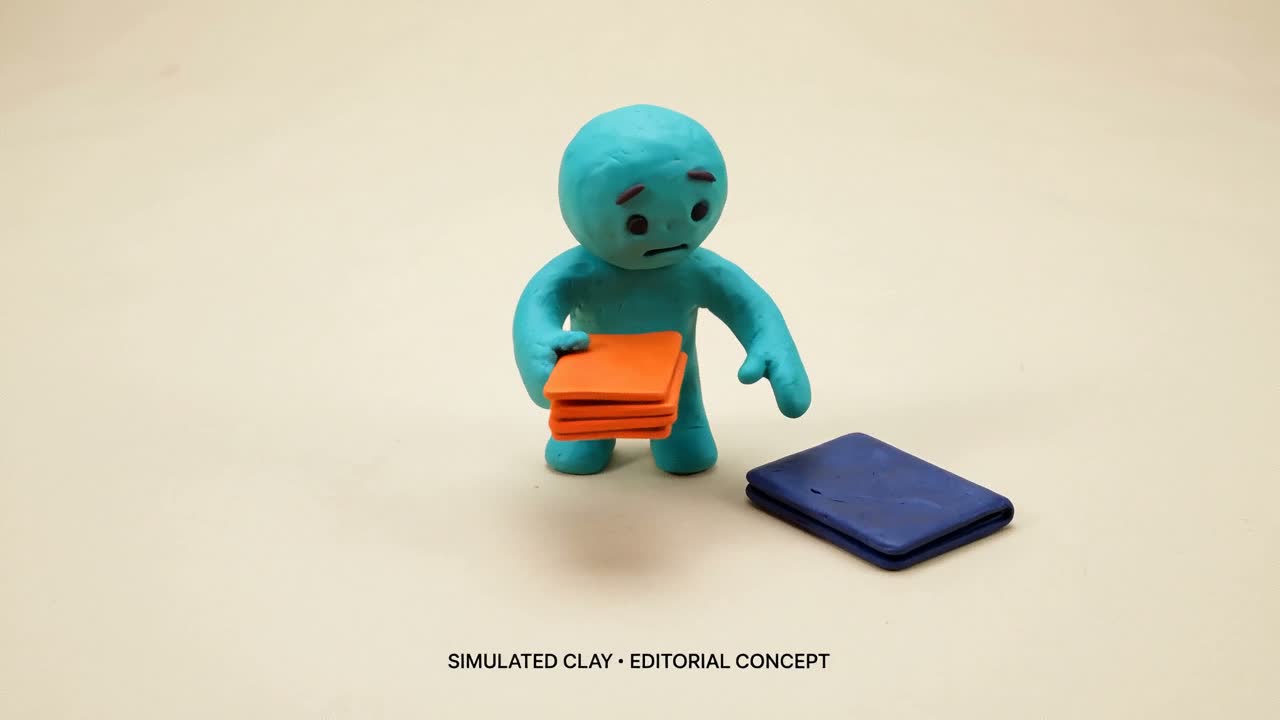
Watch the complete simulated clay: gather the brief film (about six seconds, silent MP4)
A turquoise character gathers scattered orange cards into a blue folder, then ends with “Start with a clear brief.” The soft material and small hand movements make organizing the input the visible action.
Ask for one original character, a fixed tabletop view and a gather–file–hold sequence. Inspect the full returned movement and the final wording. This is generated clay-like motion, not frame-by-frame photography of a physical model.
3D character: disorder becomes alignment
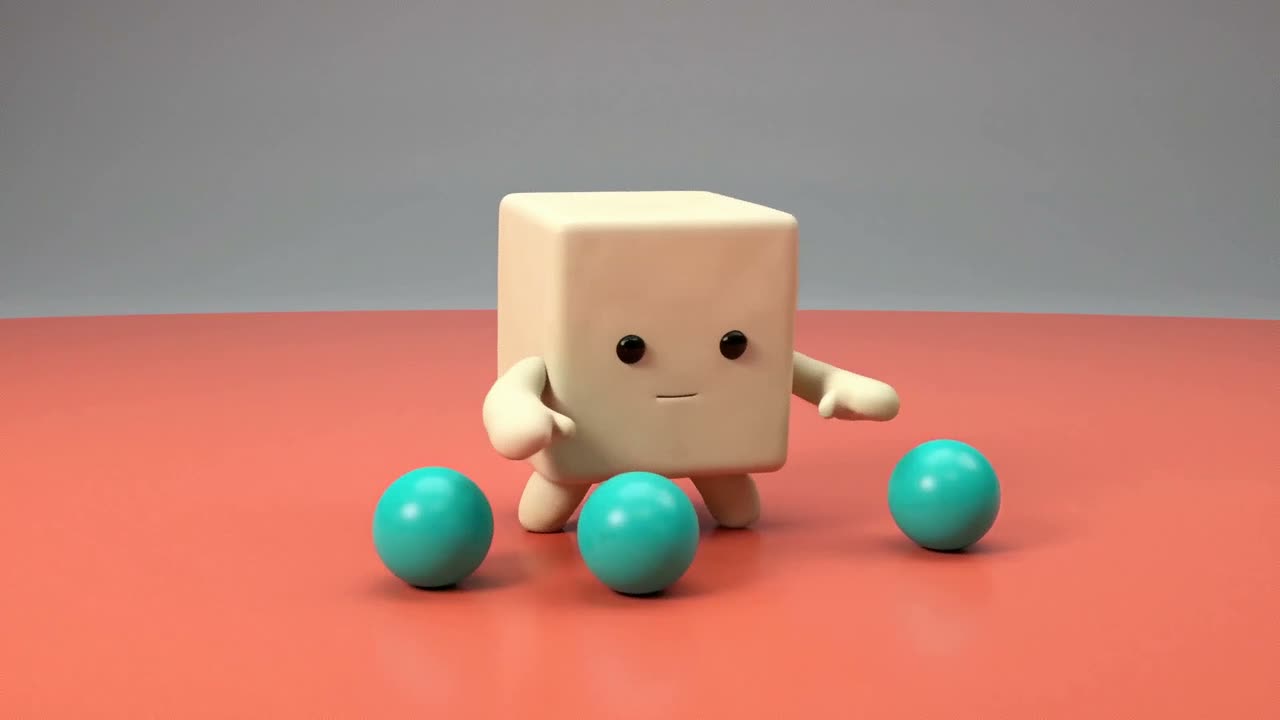
Watch the complete 3d character: disorder becomes alignment film (about six seconds, silent MP4)
A cube character aligns three teal spheres and steps back. Rounded volume, shadows and the controlled final arrangement carry the idea without a narrated claim.
Specify the objects, their starting arrangement and one observable endpoint. Keep the camera still while testing character continuity. This is a rendered-looking generated film, not proof of an editable 3D rig or a named modeling workflow.
Stickman: remove competing directions
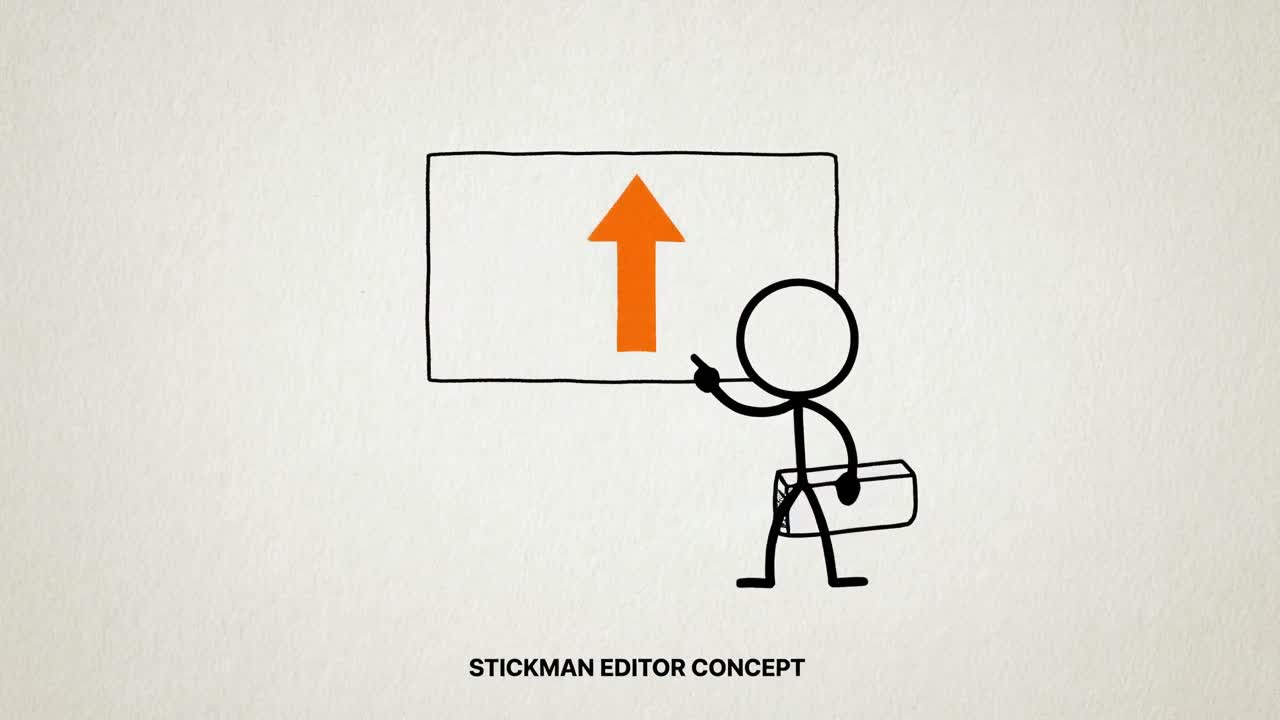
Watch the complete stickman: remove competing directions film (about six seconds, silent MP4)
A line-drawn figure erases the side arrows, leaving one direction; the film ends with “Make the next step clear.” The action teaches the principle before the text names it.
Brief one change the viewer can follow, keep the drawing sparse and reserve time for the closing line. Review the actual arrows and erasing action rather than judging only the poster.
A creator-format specimen to critique
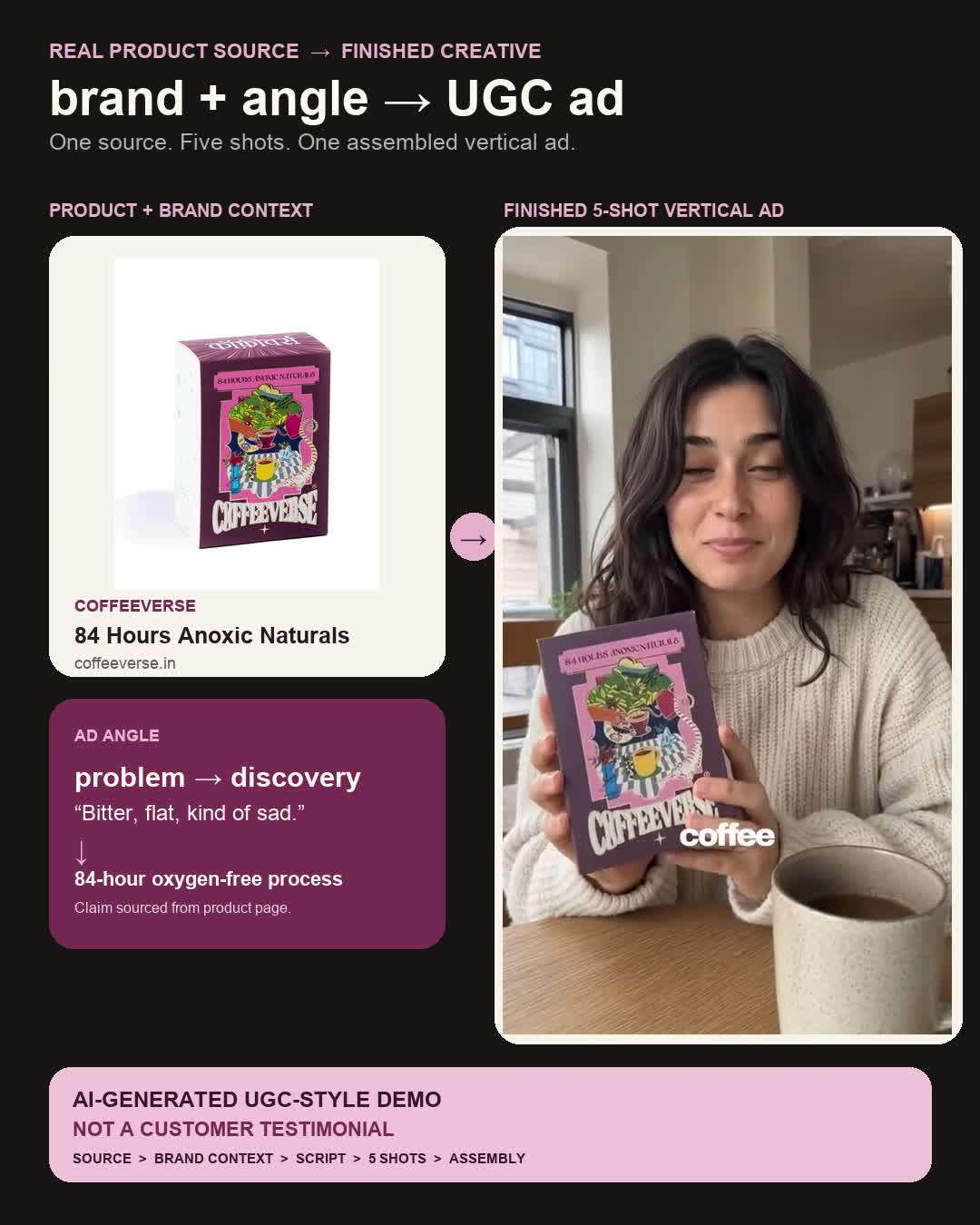
Watch the complete existing creator film (MP4 with narration)
This existing 40-second synthetic presenter film shows a pack-holding opening, gestures, a process explanation and a pack-led close. The disclosure wrapper remains visible. Study the sequence, not its claims: first-person taste and experience are scripted, not customer testimony; dispatch timing, superiority and the risk-free-sounding close are not verified here. It is not a claim-safe script to deploy. To reproduce the format responsibly, write a factual explanation from approved sources, remove invented personal experience and verify product/hand continuity throughout the final film. No new creator film or Claude session was executed for this article.
A complete narrated editorial-collage specimen
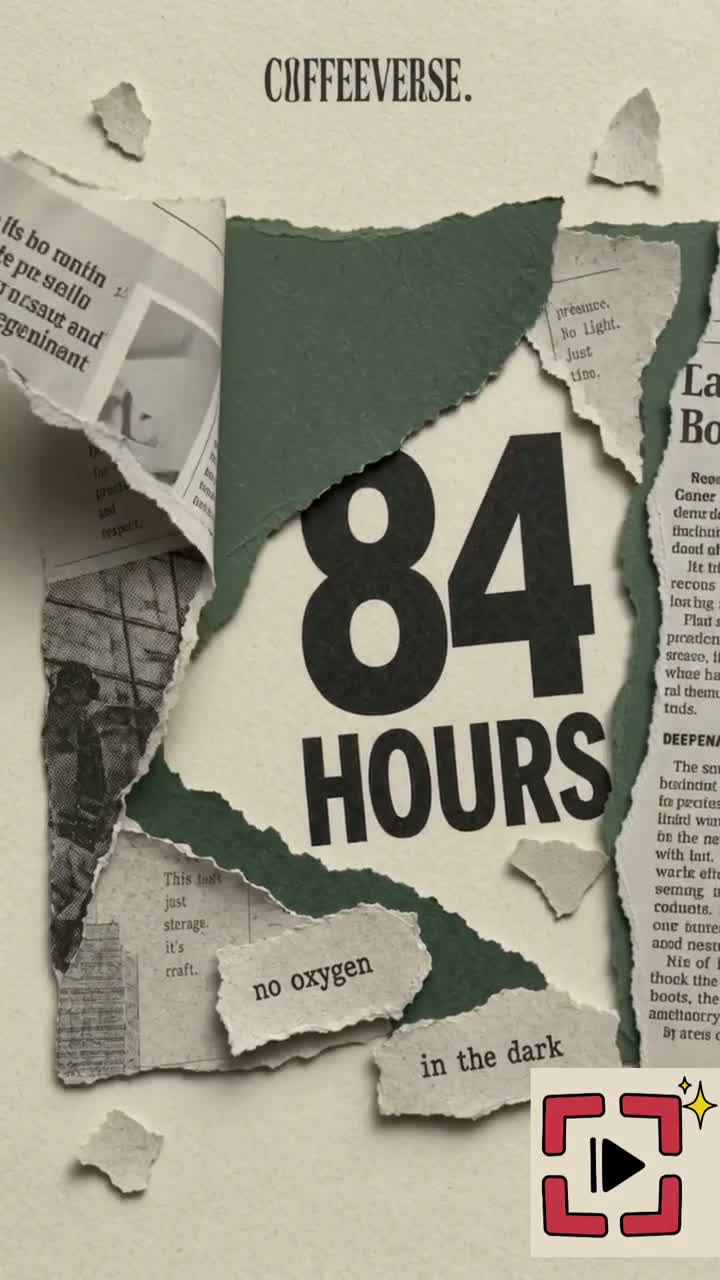
Watch the complete existing narrated-coffee film (MP4 with narration)
This existing approximately 35-second Coffeeverse film moves through six scenes: headline, clock and bags, illustrated tank, torn-paper product reveal, flavour collage and website ending. Timed narration gives the sequence a causal argument; it is a complete assembled explainer rather than a still or a creator wrapper. This is generated/spec work, not physical fermentation footage or a customer case study. The narration’s supermarket comparison, sourcing, taste and shipping statements are demonstration copy, not facts substantiated by this article. Do not reuse those claims without evidence. An editor mark is visible. Reproduce the structure with sourced claims, a scene per explanatory step, timed narration, then full picture-and-audio review. This demonstrates output, not a recorded Claude execution.
What a skill does, and what MCP does
Anthropic's Skills explanation describes folders of instructions, scripts and resources loaded when relevant. Claude discovers the procedure and brings in additional material as needed. MCP supplies access to external services and tools; it is a different layer.
|
Layer |
Its job in production |
|---|---|
|
Brief or prompt |
Names this product, audience, deliverable and constraint |
|
Skill |
Supplies the repeatable method, resources and checkpoints |
|
MCP connection |
Exposes the connected product's data and actions |
|
Production platform |
Holds brand assets and performs supported creative operations |
For example, the explainer skill defines a scene-planning method. Claude coordinates it. Advibly supplies the saved brand context, generation and assembly capabilities. Installing the procedure alone doesn't authenticate the connection.
Setup differs across Claude.ai, Claude Code and the API. Don't assume that a skill uploaded on one surface appears on another. Use the Advibly MCP setup guide for the separate connection task, and check the prerequisites of the Claude surface you use.
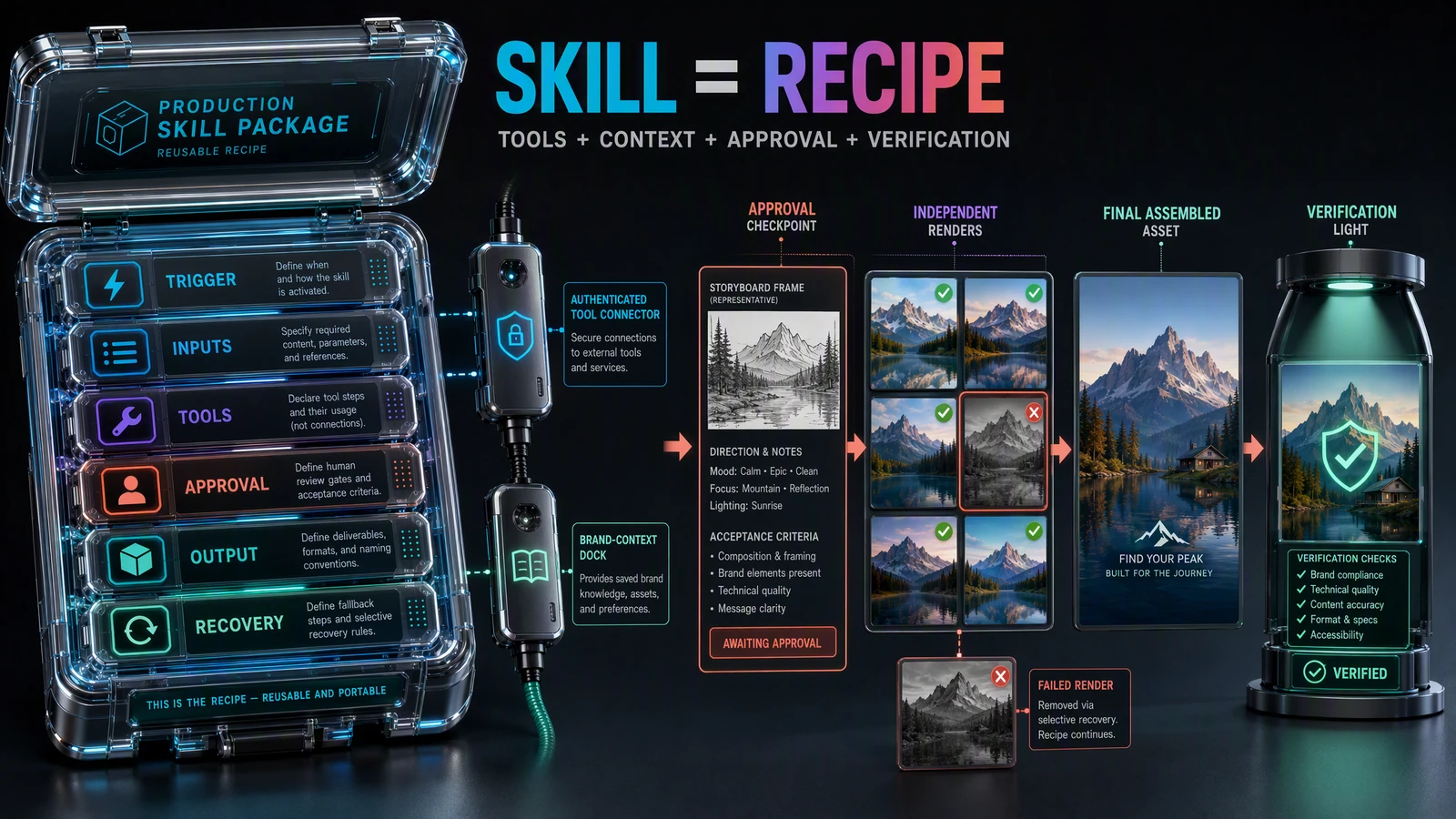
Illustrative operating model, not a recorded Claude run or product interface. The recipe needs separate tools and context; review precedes rendering. The pictured “Verified” state is fictional. A failed required shot must be repaired or the brief explicitly revised, not simply removed from the promised deliverable.
Inspect seven things in the recipe
Read the source before running unfamiliar instructions. Anthropic's security guidance warns that skills can contain code and trigger tool actions, including actions that don't match their stated purpose. Inspect bundled files and changing external dependencies, not only the first paragraph.
For a creative job, answer these seven questions:
- Trigger: does it activate for the requested output, or only critique a related idea?
- Inputs: which product facts, references, assets and rights must exist first?
- Actions: which files, accounts and connected tools can it read or change?
- Spend: where does generation begin, and what ceiling includes retries and assembly?
- Review: what can you approve before the next expensive step?
- Output: which final files and supporting sources must be returned?
- Recovery: which accepted units survive a failed shot or export?
A creative-director Claude skill might only evaluate concepts. That's useful if critique is the job, but it isn't interchangeable with a procedure that renders and assembles media. Read the actual output section.
Keep the reviewed source version with your production notes. A changed tool parameter or remote reference can affect an old recipe. Pinning the version makes a failure easier to explain; it does not make unreviewed code safe.
Worked creative: studio hero to holiday angle
The archived studio prompt calls for a plain apricot can, a simple circle, peach slices, water droplets and orange paper arcs. It forbids invented wording, health claims and brand imitation. That makes the image useful as concept art, while a real product campaign would require genuine product references and supported claims.
Choose static-ads when you need grounded image-ad concepts and finished images. Its public source starts with a source bank and written concept cards before rendering approved choices. It defaults to a larger batch; explicitly request only the few concepts you intend to evaluate.
Use the reviewed static-ads skill.Select the correct brand and supplied real product image.Propose two written concepts: studio hero and summer escape.Preserve the product silhouette and actual label.Use only supplied claims; skip testimonial or statistics templates.Request approval for one image proof and its cost first.Return the selected image and sources. Do not publish.
This is an illustrative request to adapt, not a claim that Claude generated the asset on this page. Skill installation does not connect Advibly. Use the MCP setup guide for your Claude surface, confirm authentication, and first retrieve the intended brand or existing asset.
A second angle should change the idea

A second existing Advibly output: the peach-can design on a miniature lounger under a parasol. This is a surreal holiday concept, not a real product-use demonstration.
The actual holiday prompt preserves the can design while adding a miniature lounger, pool, peach raft and parasol. The result is more than a color variation: it changes the visual premise. Use the accepted source as a reference for continuity, then inspect the returned product. A model instruction to preserve identity is not a guarantee of exact replication.
Switch methods when the deliverable becomes video
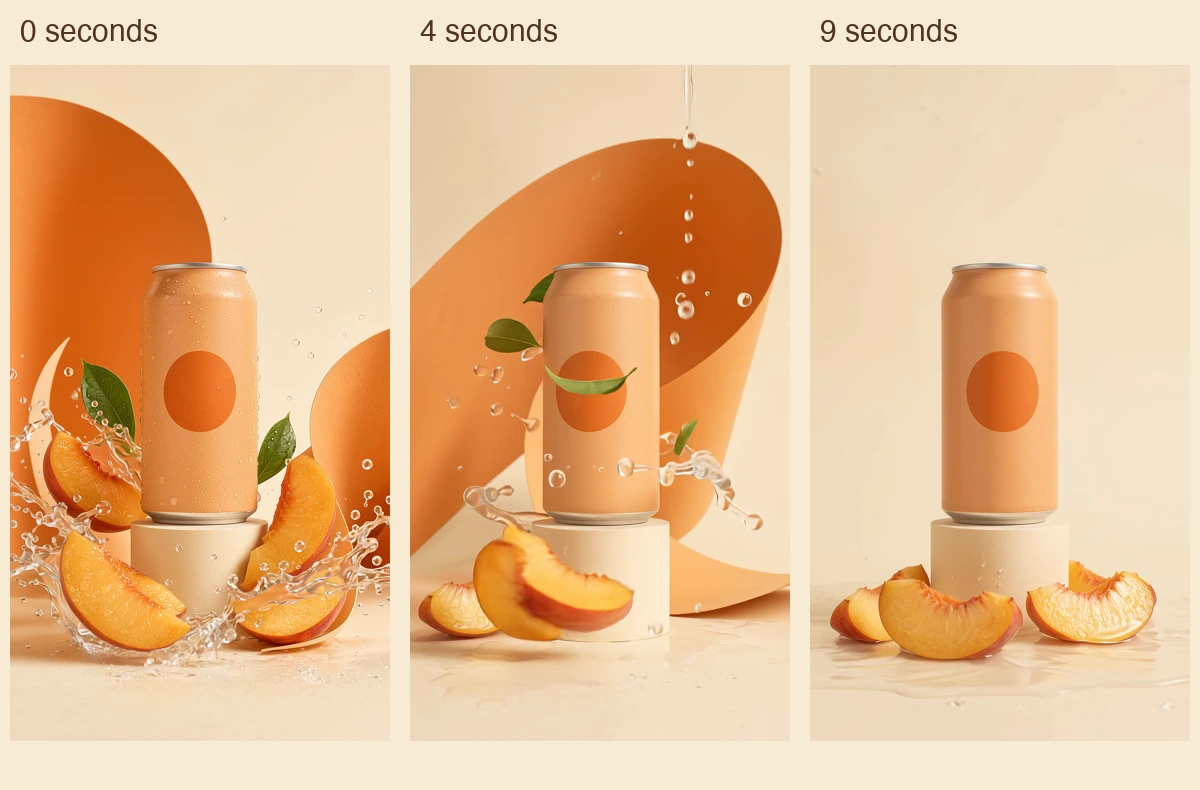
Actual frames from the existing 1080 × 1920 animation at 0, 4 and 9 seconds. Picture unchanged; audio removed for this example. No TikTok interface or campaign-performance result is shown.
Watch the 10-second peach-can animation (silent MP4)
The existing motion request asks for moving water and paper, one continuous shot, an upright can and a quiet final hold. A connected image-to-video operation can use start_image_url to carry an approved still into the video job. That is a supported tool input, not a claim that the static-ad skill assembles a complete film.
For one short shot, generation and retrieval may be sufficient after review. For a narrated explainer, choose the explainer method and plan the argument, scenes, narration and assembly. For a creator-style ad, use the UGC method and verify the person and product across shots. Do not select those more elaborate recipes just because the original input is an image.
Inspect the full result with its actual audio. In this peach example, the requested no-speech constraint did not survive generation; the displayed copy removes audio while leaving the picture intact. If the brief required narration, you would need an approved replacement track and a new final mix. The corrected derivative is a different file, even though the picture is the same.
Recover only the work that needs changing
Selective recovery doesn't mean every earlier approval remains valid forever. Keep unrelated work, then rebuild the dependants of the changed part.
|
Failure |
Keep |
Repair and recheck |
|---|---|---|
|
One keyframe has a wrong label |
Other accepted frames |
That frame and any clip made from it |
|
One narration line is too long |
Other lines and usable visuals |
The line, its timing, captions and final mix |
|
One scene's motion is unusable |
Accepted sibling clips |
The required scene and assembled transitions |
|
Product claim changes |
Reusable unrelated assets |
Every script, image, caption and post using that claim |
|
Post status is unclear |
Approved media and recorded post ID |
Retrieve status before attempting another post |
If the tool returns a pending job, preserve its ID and check status. An unanswered request isn't proof of failure. A blind retry can create a second paid generation or a duplicate post.
If a required shot cannot be repaired within the agreed ceiling, stop that part and report the missing deliverable. Don't quietly remove the shot and present a shorter film as the approved job. The user can approve a revised sequence.
Keep output and execution evidence separate
A useful production handoff contains the reviewed skill source, chosen brand, input references, output files, actual format and unresolved checks. The images and animation here exist and can be inspected. They do not identify Claude as the operator. For your own Claude run, retain the tool result and returned asset reference alongside the file instead of treating a screenshot of the finished image as a complete execution receipt.
After separate release approval, supported Advibly tools can schedule or publish to connected accounts. Keep that post's status separate from the creative record. Reuse the approved product context, not a blanket permission to distribute every new version.
Public skill, custom skill or one-off brief?
Use a reviewed public skill when its output and dependencies match a recurring job. Adapt a custom skill when proprietary approvals or a stable internal handoff format genuinely change the procedure. Use a one-off brief for an experiment unlikely to recur.
Keep validation and recovery consistent, but let the hook, story and pacing respond to the product. A reusable procedure should remove repeated setup work, not give every brand the same creative idea.
Claude creative-skills FAQs
Does a creative skill generate the image or video itself?
The skill supplies the procedure. Claude uses the connected tools described by that procedure; the production system performs the supported generation and assembly work.
Does installing it connect Advibly automatically?
No. Skill availability, service authentication, account selection and access to the required actions are separate checks. Start with a read-only brand or asset retrieval before approving a paid operation.
How do I choose a creative-director skill?
Read its output contract. Concept critique, scripts, image renders and a finished film are different jobs. Choose the one that owns your missing step rather than assuming its title covers the whole workflow.
Can the finished assets become a social campaign?
Yes. Reuse the approved product context, adapt media and copy for each destination, then use supported scheduling and publishing after release approval. Verify the actual post state and review analytics without treating generation as proof of campaign results.
Generate your first creatives for free. Start with your own product source and starter credits; output quantity depends on the model and settings. Generation and social publication are separate decisions.