

Choose CGI when the product must be exact. Choose AI when the campaign needs many ideas and variations quickly. Choose a hybrid when the product itself must be controlled but the scene, message or format can change. That is the useful answer to CGI vs AI; speed alone does not decide it.
The comparison becomes misleading when a polished 3D production is priced against a few generated candidates as if both include the same work. They do not. The right question is: what must be true in the final asset, and how many approved variations must the team produce?
Key Takeaways
- CGI wins on exact, repeatable product geometry; AI wins on fast exploration and high-volume campaign variation; a hybrid workflow, a locked CGI product plus AI-generated scenes, usually gives the best balance for brands that need both.
- Compare completed jobs, not rendering methods: CGI and AI carry different setup, exploration, revision and hidden costs, so a fair quote must match deliverables, rights, revision count and quality bar before either is called cheaper.
- Every AI-generated candidate needs an explicit accuracy gate before it enters a campaign; a label, feature or scale change is the failure mode to catch, not an obviously broken render.
- Advibly supports the AI-assisted and hybrid parts of this workflow, not exact CGI or legal approval; check the pricing page for what a generation costs before you run it.
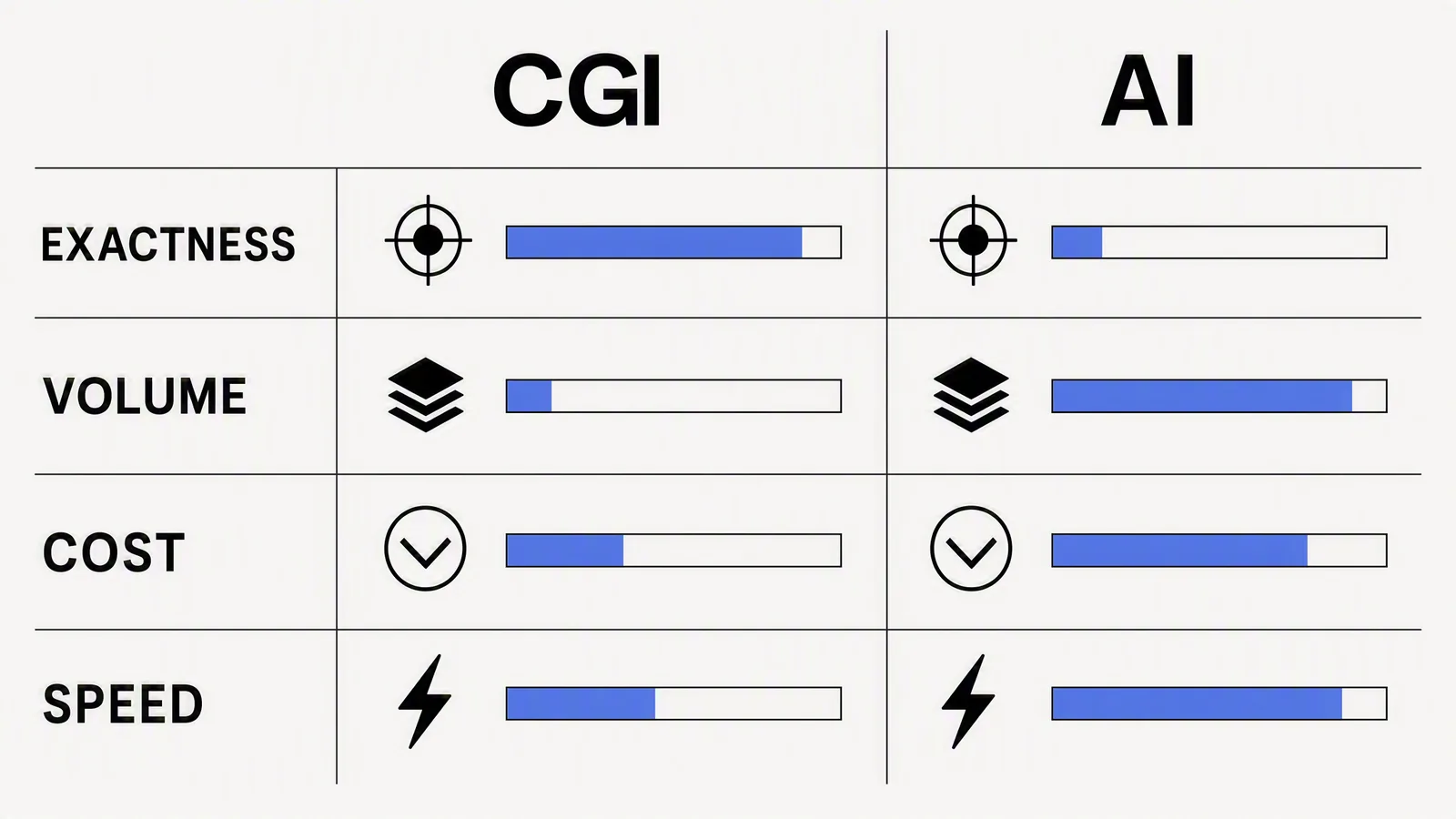
Quick decision table
|
Requirement |
CGI |
AI generation |
Hybrid |
|---|---|---|---|
|
Exact geometry and repeatable angles |
Best fit once the model is built |
Risky without controlled product inputs and review |
Strong: lock the product, vary the environment |
|
Rapid concept exploration |
Slower and more expensive per direction |
Strong |
Strong after the hero asset exists |
|
Material and lighting control |
Precise |
Variable |
Precise product with flexible scene |
|
High-volume channel adaptations |
Possible, but requires render and production time |
Fast after the brief is stable |
Often the best balance |
|
Regulated or technical product |
Usually safer |
Use only with strict verification |
Possible with a locked product render |
Pricing: compare completed jobs, not rendering methods
There is no honest universal "CGI costs X and AI costs Y" number. CGI cost depends on model complexity, materials, animation, camera count, revisions and whether a reusable 3D asset already exists. AI cost depends on subscriptions or credits, failed generations, compositing, retouching and human review. Public workflow articles from CGI practitioners make the same central point: faster first output does not automatically mean a more efficient finished production.
|
Cost layer |
CGI production |
AI-assisted production |
|---|---|---|
|
Setup |
3D model, materials, scene and lighting |
Verified sources, brief, references and model selection |
|
Exploration |
Artist time for each meaningful direction |
Generation credits plus selection time |
|
Revision |
Controlled changes to model, scene or render |
Regeneration, compositing or retouching; some changes are not deterministic |
|
Reuse |
High when the 3D asset will support many future campaigns |
High when product context and campaign direction remain useful |
|
Hidden cost |
Up-front build and specialist time |
Rejecting plausible but inaccurate output |
A realistic campaign scenario
A skincare brand needs one launch visual, six paid-social variants, three aspect ratios and a 10-second motion treatment. The bottle geometry and label must not change.
- CGI-first: build or use an exact bottle model, light the hero scene, render the approved view, then create crops and motion. This is rational if the asset will be reused across launches.
- AI-first: explore concepts and backgrounds quickly, but reject any candidate that changes the bottle, label or claim. Budget human time for compositing and fidelity review.
- Hybrid: use the approved bottle render as the locked source, generate or composite environmental directions, then carry the chosen system into channel variations. This often produces the clearest division of labour.
The scenario is deliberately not reduced to a false per-image number. Get quotes against the same deliverables, rights, revision count and quality bar; add internal review time; then compare.
Where AI fails quietly
The dangerous output is not the obviously broken image. It is the convincing image that changes a label, adds a feature, alters product scale or implies a result that the brand cannot substantiate. Google tells advertisers to review generated assets for accuracy and misleading content before adding them to campaigns. Marketing teams need the same explicit gate.
Where Advibly fits
Advibly helps with the AI-assisted and hybrid parts of the workflow. A team can begin with product images, a store, website, app listing, screenshots, brand assets or references; retain reusable context; choose from available models; and produce reviewable image, carousel and video directions. The generation cost is visible before the run. Advibly does not turn an approximate generation into an exact digital twin, and it does not remove the need for legal or product approval.
Final verdict
Use CGI for durable product truth and precise control. Use AI for exploration and variant production. Combine them when the product must remain exact but the campaign needs range. The best choice is the one that minimizes the cost of an approved asset, not the cost of the first render. Teams running this comparison repeatedly often standardize it with an AI ad agent workflow or a starting point from Advibly's templates.
Explore an AI-assisted product creative workflow in Advibly.
Sources
- Niklas Schoberth: AI product images vs CGI, accessed 4 August 2026.
- XO3D: CGI vs AI product images, accessed 4 August 2026.
- Multi-Object Advertisement Creative Generation, accessed 4 August 2026.
- Google Ads generated-image guidance, accessed 4 August 2026.
- Advibly pricing, checked 4 August 2026.