

An AI background generator is valuable when it changes the scene without changing the product. That sounds simple; it is the core production test. A beautiful image with a warped pack, floating shadow or impossible scale is not a product asset.
Key Takeaways
- Judge every generated background by one test: does the product stay unchanged while the scene changes.
- A weak product source cannot be fixed with more prompting, so start from the highest-resolution approved cut-out available.
- Run every candidate through a fidelity gate: geometry, contact shadow, scale, perspective, label text and crop.
- Treat an approved scene as a reusable family, not a one-off image, and adapt it across formats instead of regenerating from scratch.
Google and Amazon have both introduced generative image capabilities for advertising workflows. The interesting shift is not "AI can make a background." It is that teams can produce context and format variations around a source product, provided the workflow preserves fidelity.
Start with the cleanest possible product source
- Use the highest-resolution approved product image available.
- Keep the full silhouette visible unless the final crop is intentional.
- Remove compression artefacts and ambiguous shadows.
- Confirm the label, colour, accessories and product count.
- Record what must not change.
A weak cut-out forces the model to guess at edges and contact points. More prompting cannot reliably recover source detail that was never present.
Write a scene brief with physical logic
Describe the surface, environment, camera height, focal length feel, light direction, material, scale and space required for copy. Then state the immutable product constraints.
Keep the uploaded shoe unchanged. Place it on pale concrete in a bright studio, three-quarter side view, soft window light from the left, natural contact shadow, realistic scale, empty upper-left space for a headline. No extra laces, no logo change, no text.
The product-background quality gate
Score every candidate against these checks before it leaves review. A background that fails any row is not ready to ship, no matter how polished the lighting looks.
|
Check |
Pass |
Reject |
|---|---|---|
|
Geometry |
Shape and components match the source |
Edges, handles, caps or laces mutate |
|
Contact |
Shadow and surface meet naturally |
Product floats or sinks |
|
Scale |
Scene objects make the product believable |
Product appears toy-sized or oversized |
|
Perspective |
Camera and background agree |
Angles conflict |
|
Label and text |
Original marks remain readable |
Letters or claims are invented |
|
Crop |
Product and safe area survive the placement |
Key detail sits under UI or outside frame |
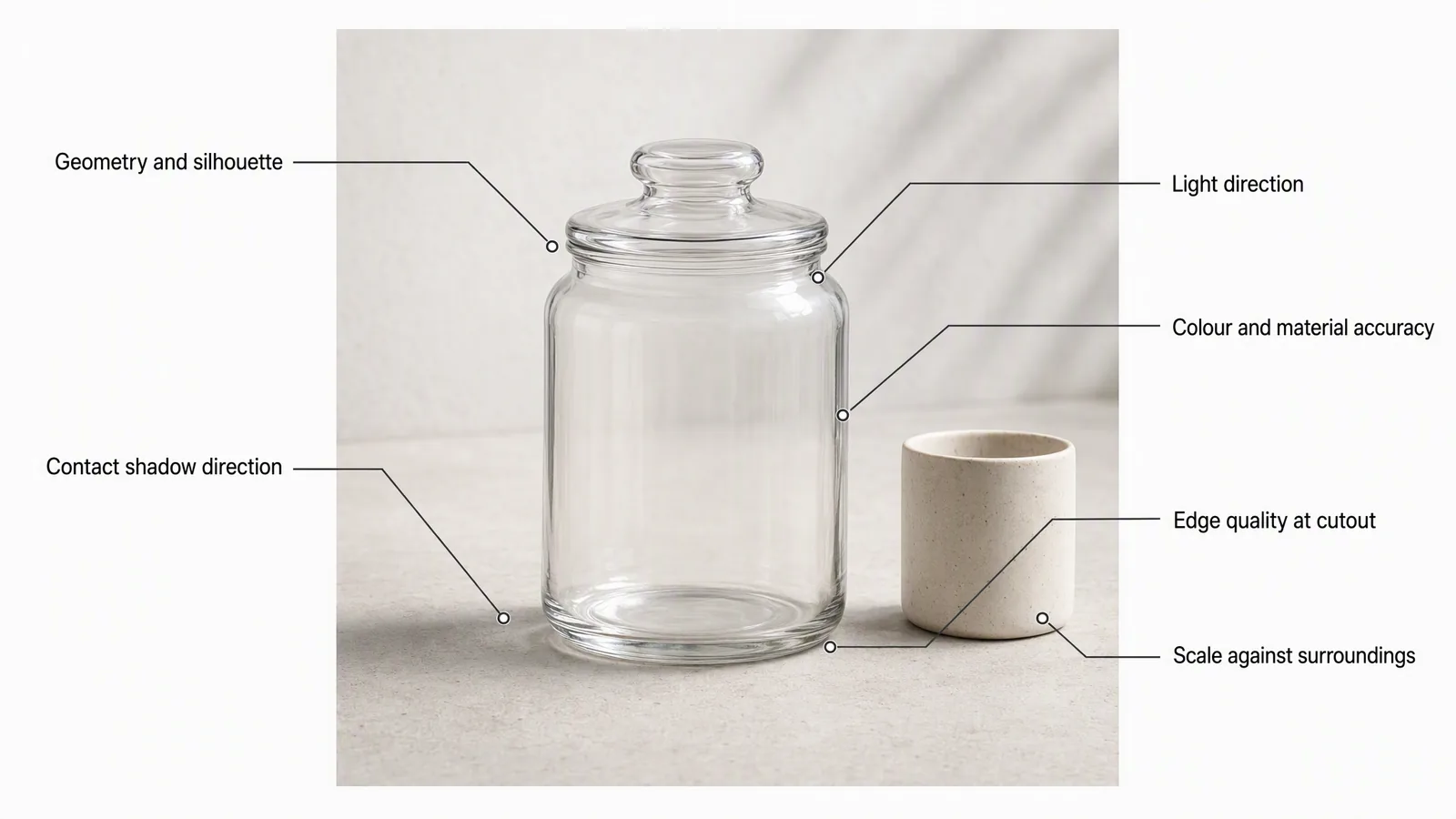
Generate a scene family, not random pictures
Once a scene works, keep the visual logic stable and vary one useful dimension: channel crop, colourway, season, prop, copy space or camera distance. A coherent family is easier to review and more useful for testing than eight unrelated aesthetics.
- Approve the product source.
- Generate several scene directions.
- Select one based on fidelity and campaign fit.
- Refine lighting and contact.
- Adapt to square, portrait and landscape.
- Add approved typography in a controlled layout step.
- Archive the source, prompt and approved outputs together.
Where Advibly fits
Advibly can start from a product image, website, app listing, store or screenshot. It keeps product and brand context reusable, so an approved direction does not need re-briefing on the next generation. And it creates product visuals alongside ads and carousels. Posts and video concepts extend from the same approved scene, so a background stops being a one-off image and becomes a direction the rest of the campaign can travel on.
Human review remains essential. The system should show the generation cost before the run, make alternatives easy to inspect and preserve the source of truth. It should never turn visual polish into an unverified product claim.
When another method is better
Use photography or CGI when reflective materials, exact geometry, regulated packaging or repeatable angles are non-negotiable. Use manual compositing when the product cut-out is perfect and only the environment must change. The best workflow may combine methods: exact product source, generated scene, controlled typography and human retouching.
Create product-background campaign variants in Advibly.
Sources
- Google Ads generated images guidance, accessed 4 August 2026.
- Amazon Ads AI image generator announcement, accessed 4 August 2026.
- Amazon Ads product scale and position editing, accessed 4 August 2026.